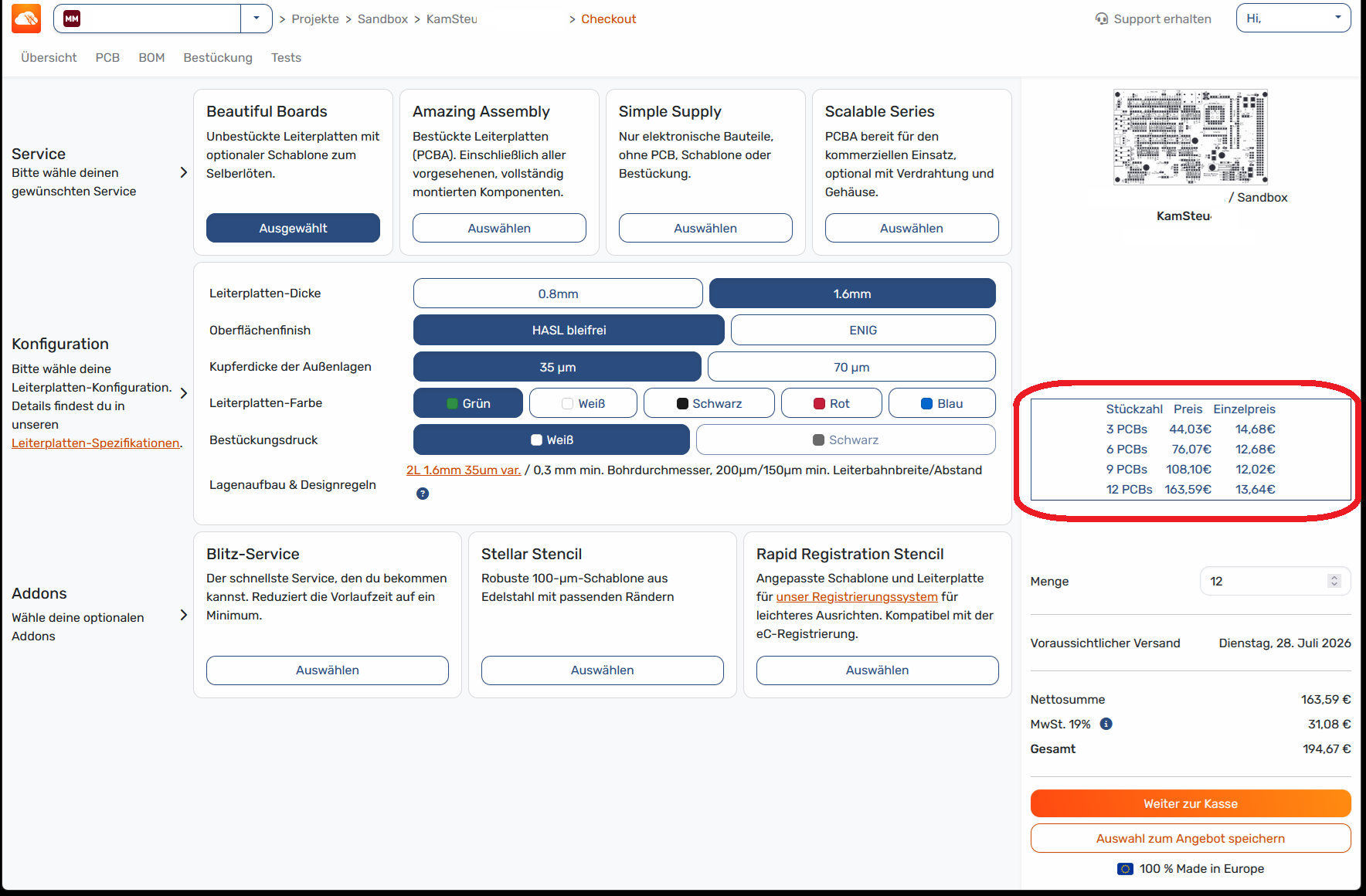
Depending on how complex the PCB is and how much money would be lost due to a design error, the volume pricing determines how many PCBs we purchase for a new or upgraded design.
A small table would be very helpful as a guide for making this decision.
Great idea, thanks for the suggestion @Konstantin!
In which quantities do you usually order and which do you compare? In your example, you chose displayed the quantities 3 to 12. Would it be helpful to compare with much higher quantities such as 30 or 300?
If you really have some real price break at larger number, this would be usefull.
However in my experience, the per 3 board price increase is the same for the first 3 boards or e.g. for the 16th 3 boards. This makes Aisler unattractive for such numbers as others vendors have a high setup price but a much smaller quantity price
I’m writing from my personal account now—I posted the initial message above from my work account.
@Tim-from-AISLER : I think you’re in a better position to answer this question. What are the most common quantities ordered from you? 3 or 12—in that case, the list above would be just right. But if it’s more like 30 per order, you could create a table with 3, 6, 9, 12, 30, 90, 120—or something similar.
That would cover both individual customers like me and larger buyers.
The pricing depends on the technology. For common technologies and small quantities, @uwe is right as pricing almost linearly increase. However, with more special requirements or increasing quantity, this differs. There, you will see a rapid decrease in cost per piece (so also for smaller quantities).
We of course run analysis @i440bx I am interested in which situation it is helpful for you. Decide for/against adding another set of 3 when ordering low quantities? Are you at the same time interested in the pricing for a larger volume? Or are you ordering higher quantities, e.g., for a small series, and thinking about increasing the batch?
Personally, I’d be interested in the small volume-based pricing tiers—the four rows I added above.
Here’s an idea I just had: The table with the volume-based pricing could be dynamic. The currently selected quantity of PCBs would be displayed in the middle of the five rows, with the two rows above and below it showing the next available quantities.
| QTY | Total | Single |
| 12 | 120 | 10 |
| 15 | 135 | 9 |
| 18 | 144 | 8 | <— This row is the currently selected quantity, unless qty 3 or qty 6 is selected
| 21 | 147 | 7 |
| 24 | 144 | 6 |