Let’s get the awkward bit out of the way: we moved things around and renamed a few labels. We don’t do that for fun or to annoy you. We hope you know that. 
We didn’t change anything about the part matching or search, it’s still the same tool but with better signposting. Some beginners had problems finding buttons like “Calculate Price” or didn’t know that components still needed to be assigned. So we made some changes, to make it easier.
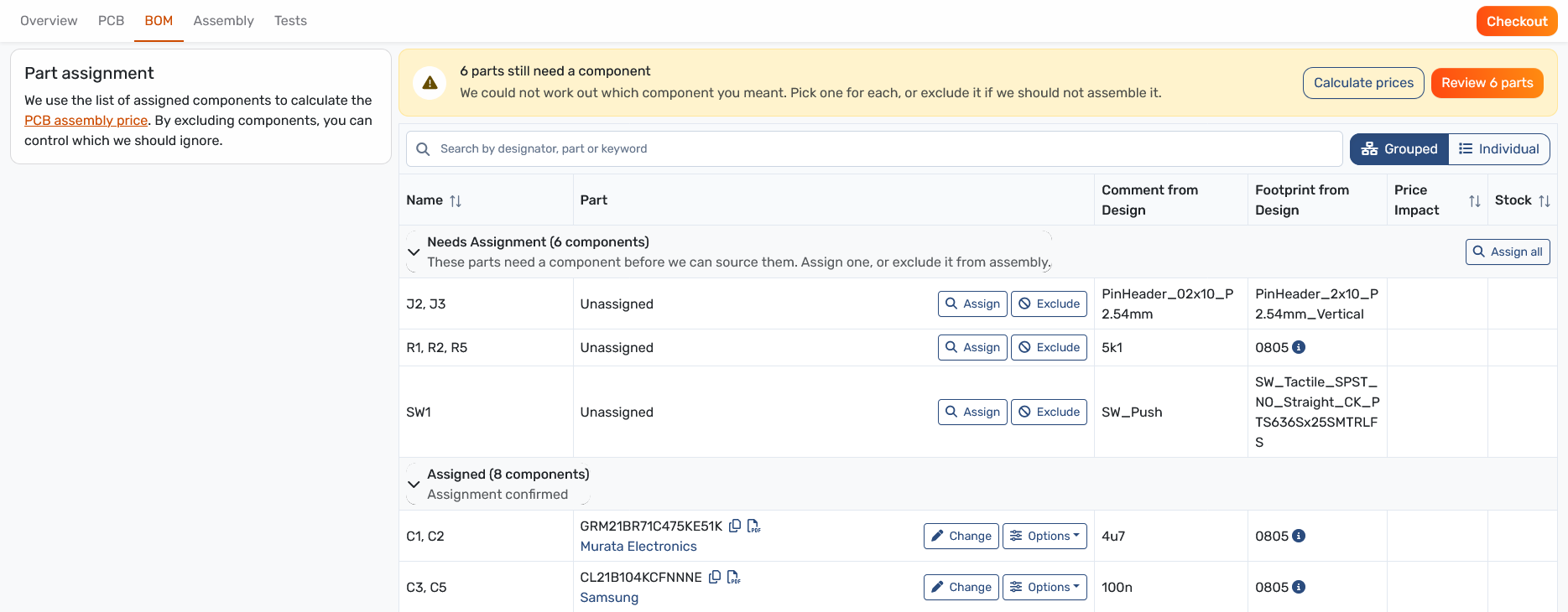
The guide that points the way
If parts still need an assigned component, the banner at the top tells you how many. Review 6 parts (the number matches your project) takes you straight to them, and Calculate prices sits right next to it.

In the guide you can either search for the desired part, skip it for now, or exclude it from assembly.
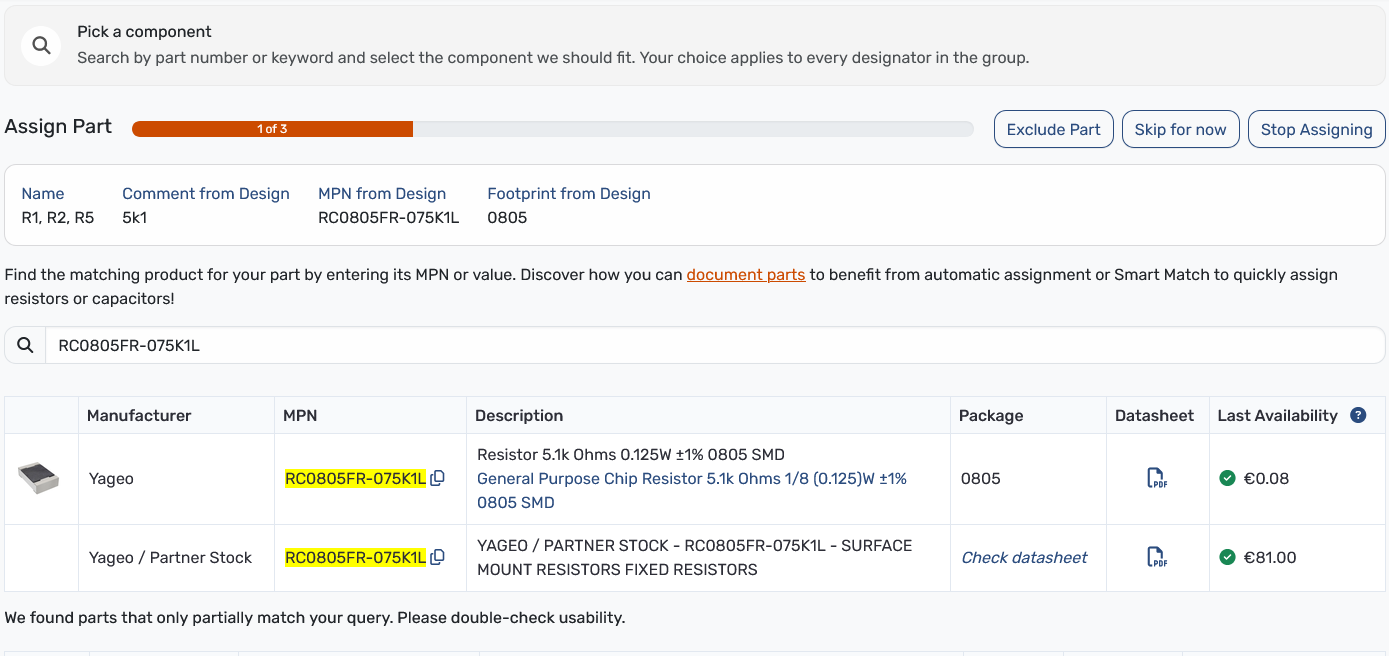
Change parts and other options
This is not new - but it looks different: Once a part is assigned, Change in its row reopens the guide with the assignment dialogue. (Screenshot above)
Exclude or customer supplied
Both keep a part out of our sourcing, but for different reasons.
- Exclude if you don’t want us to assemble the part at all. Typical examples are connectors you’ll solder on later, or parts that depend on your final enclosure.
- You supply it if the part belongs on the board, but you’re providing it yourself, for instance because you already have it in stock or need a specific variant.
Pro-Tip: Excluded parts don’t count towards the assembly price. Open Calculate prices after changing a few to see what it does.
To exclude a part: click Exclude in its row.
To mark a part as customer supplied: assign or confirm the part first, open Options in its row and choose You supply it.
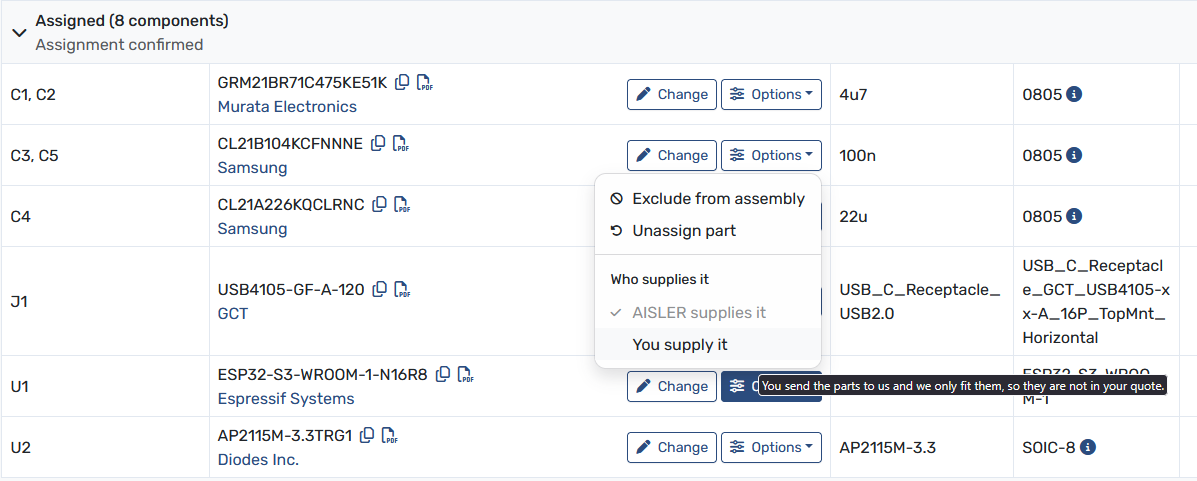
New labels
Just in case it’s interesting for you, these labels have been changed:
| Before | Now |
|---|---|
| Search Table | Search by designator, part or keyword |
| Comment | Comment from Design |
| Footprint | Footprint from Design |
| Assign Part | Assign |
| Unassign Part | Unassign |
| Supply by Customer | You supply it |
And something else is new, …
You can now answer to our announcements!

Let us hear your opinion below. Did you already test the redesigned BOM interface and did you like it?