Organizing a project the traditional way can be quite daunting: countless E-mails are sent across departments, quotations have to be manually created, and managing board revisions is a hassle. We know that it is a relief, when all revisions, quotes, orders and invoices can be directly processed by all departments, without the usual back-and-forth. That’s why we created a set of tools that enables purchasing teams, developers and accounting to work as a team all contained in our easy-to-use interface.
You also get all the essential B2B features you need to have the best experience with your AISLER account. To unlock these, simply enroll as a business customer. (Note: If you are a university institute, we consider you a business account as well.)
Enroll a business account
Need a B2B workspace for your great projects? Use our free Smart Teams service to collaborate with your whole team. Depending on whether you are new to AISLER or already use us for personal projects, getting started is simple:
Option A: Create a New Account
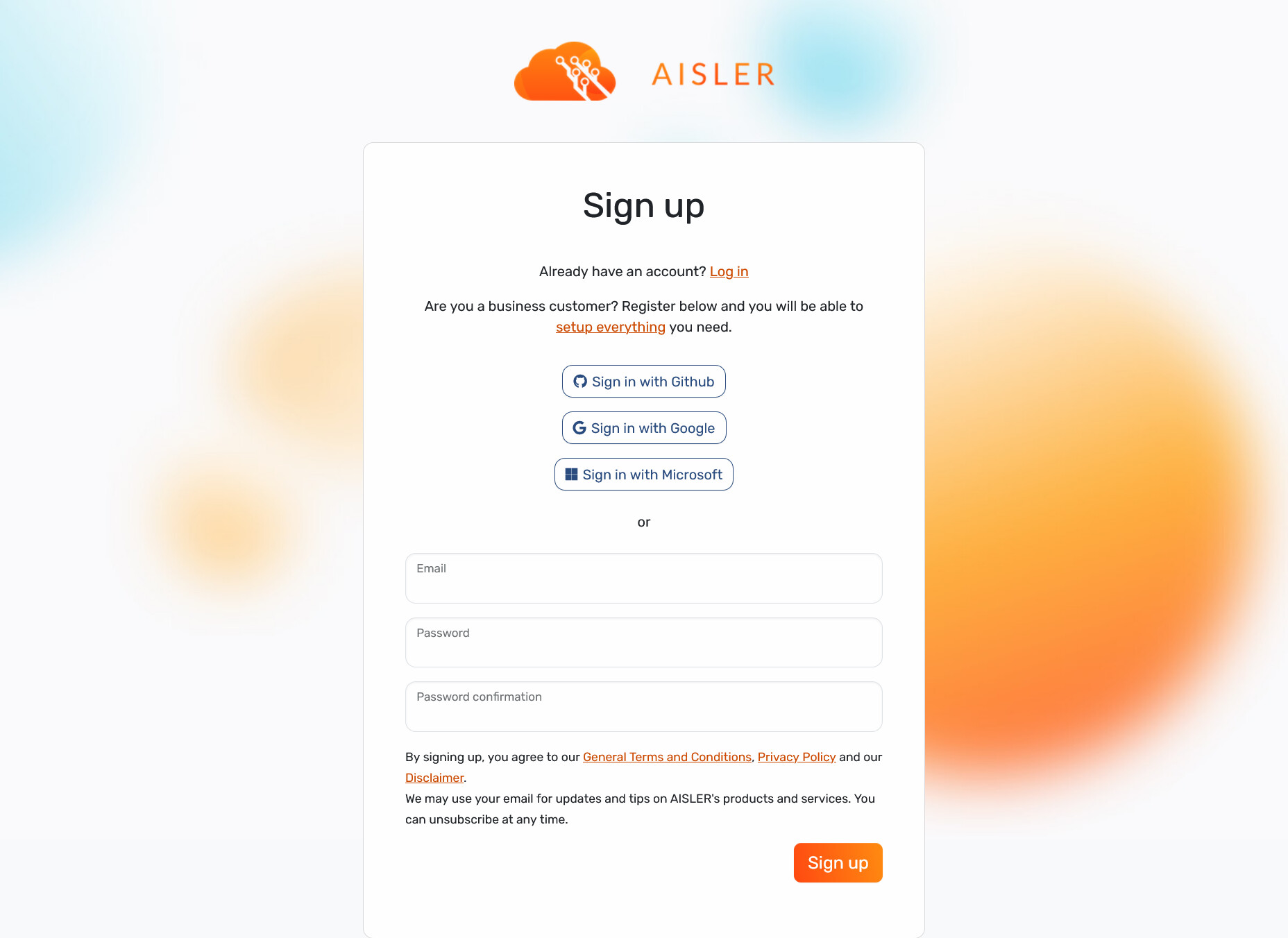
If you are a new user, first sign up on our homepage:
Option B: Upgrade an Existing Account
You already have a personal account? You don’t need a second login! To add a business workspace to your existing profile, simply navigate to Account > Settings > Scroll down to “Invoice settings” and use the Button “Convert organization”

Business or Private?
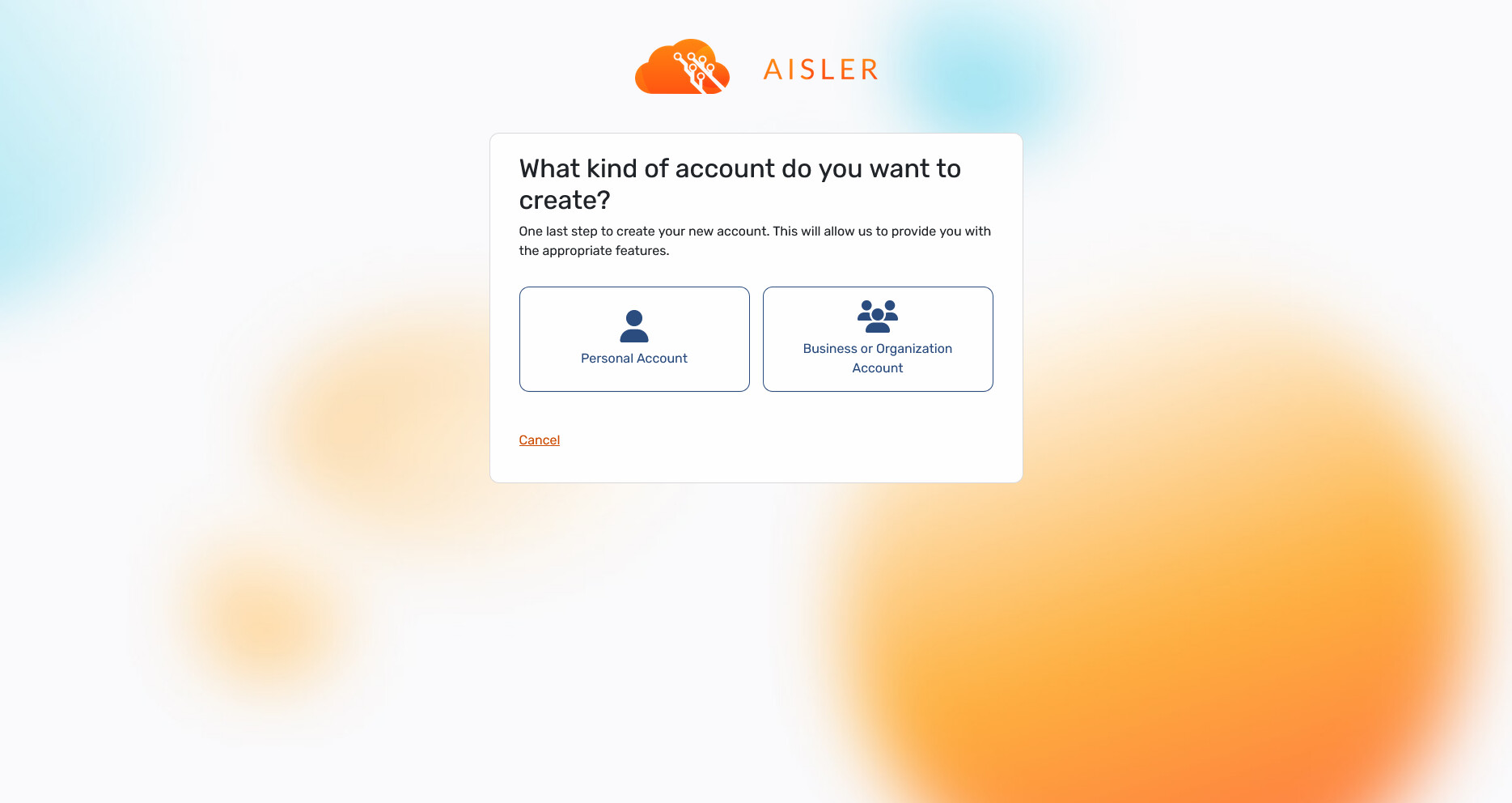
After filling in all necessary information, you can select what kind of account you want to create:
If you chose to create a business account you have the option to give your Team a name (e.g., your company name or institute name). Please enter your VAT number and a phone number to contact you if necessary.
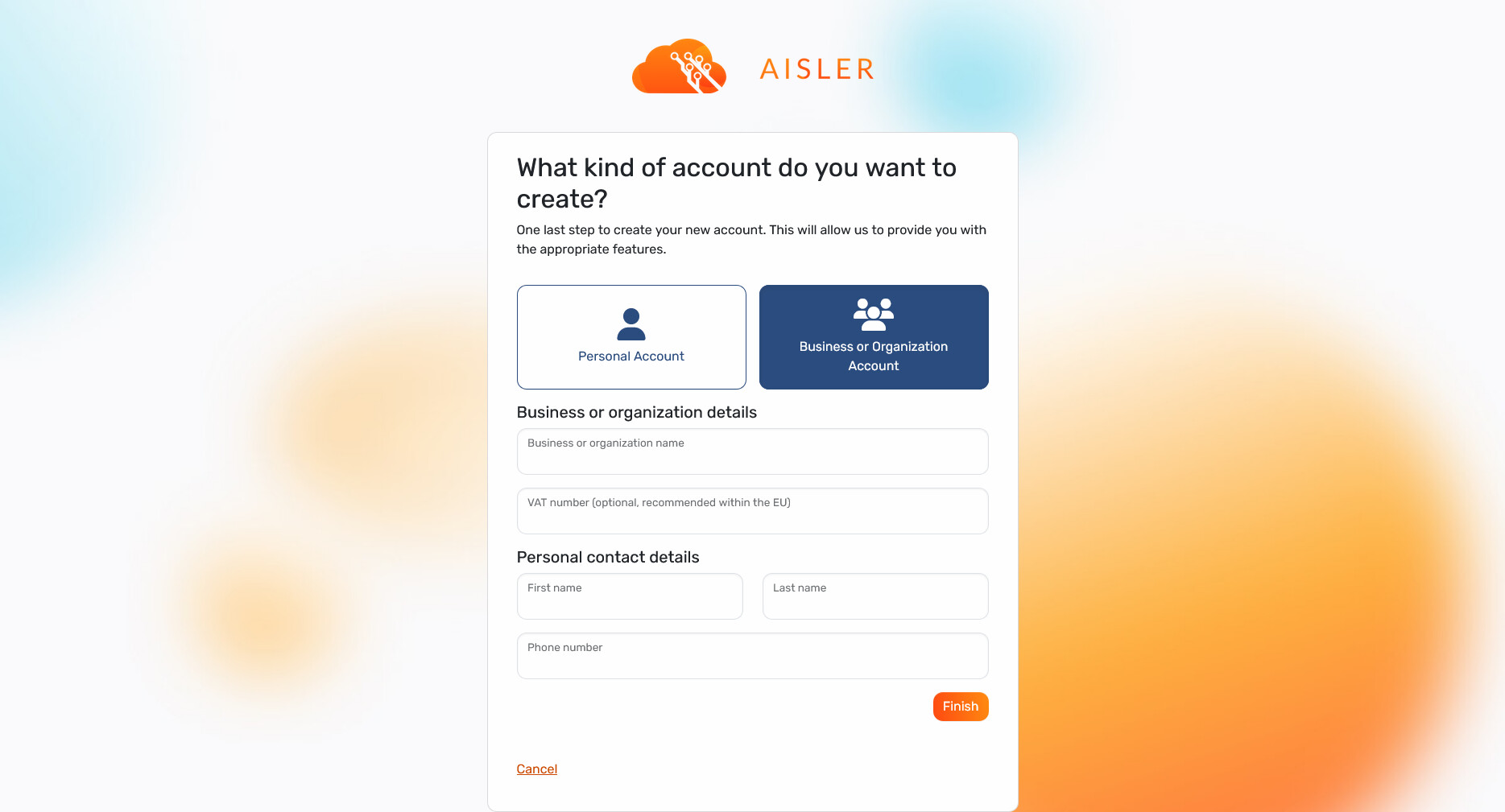
If your VAT number is not on hand, don’t worry - you will have the option to enter it after registration in your account settings.
Projects and Team members
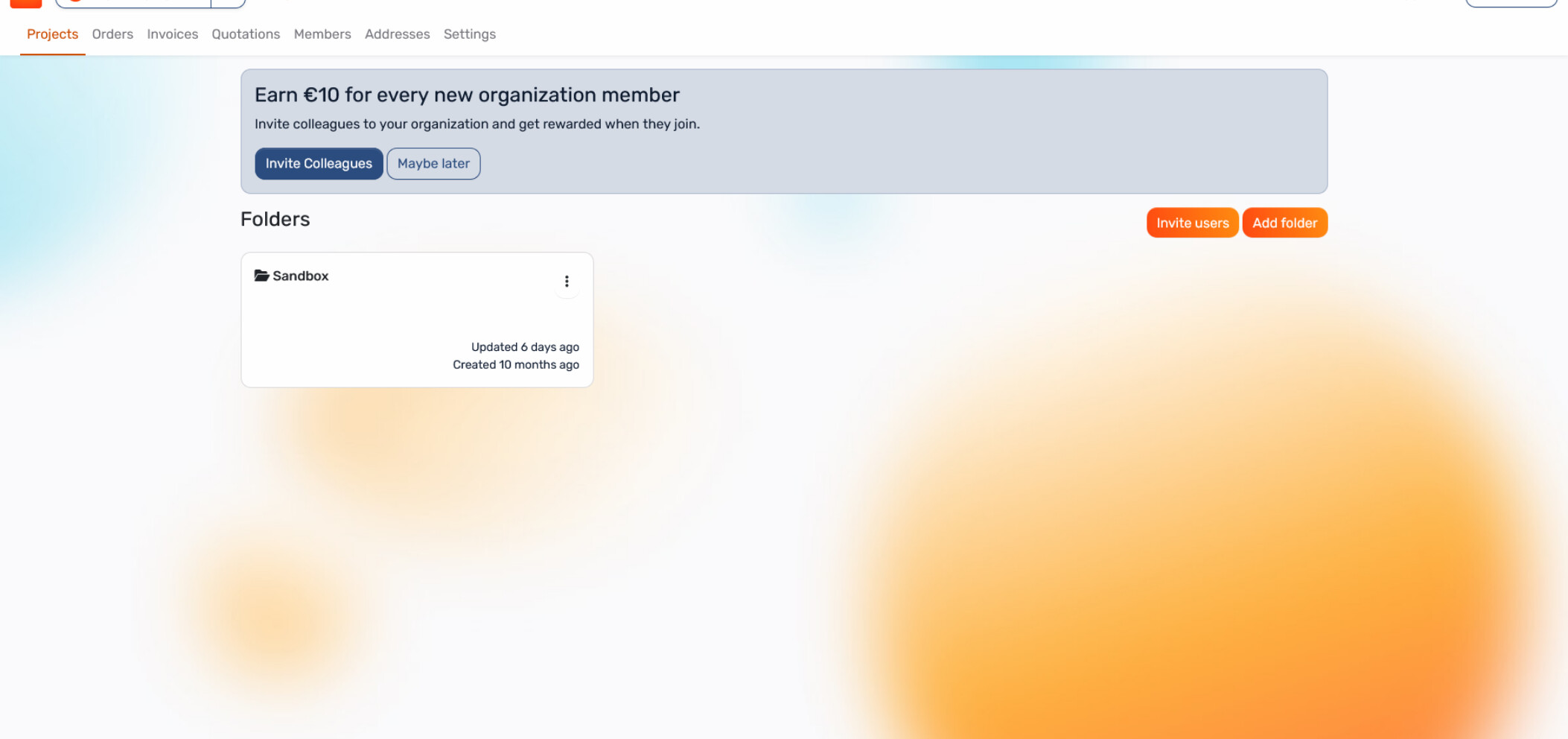
After registration, you will see your account overview where you can upload all your projects and arrange them the way you like. It is recommended to invite new team members to include developers, engineers, the purchase department, and accounting:
Inviting other team members & earning rewards
As member of your organization account, you can easily invite your colleagues by sending an invitation to their email address. It makes it possible to work on the same project, upload new board revisions, and share projects that you are working on. In addition, you can share your order details like invoices, etc. Your accounting department will love you for this! 
 New since 10 March 2026: Earn €10 Store Credit per Teammate
When you invite a team member and they accept your invitation, we instantly reward you by adding €10 in store credit to your organization’s account! Use that extra prototype budget to order your next revision.
Enter shipping and billing address
In your account settings, you can add all the addresses you need.
Sometimes, there are companies that work from several locations and would like to be supplied to different labs or offices. No worries about that - it is possible to add multiple shipping addresses that can be selected when placing an order. Wherever your co-workers need the PCBs, they can select the right address, and we handle the rest. We ship the boards directly to the chosen location and automatically generate invoices and send them to your accounting team.
You can add different addresses here:

Streamlined Invoicing
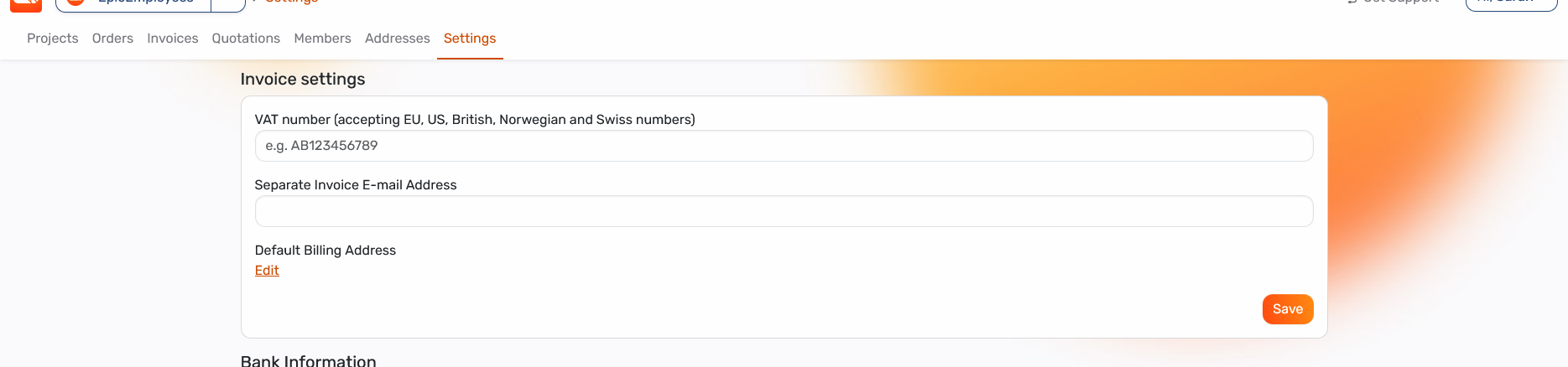
To make it as easy as possible for you and your accounting department, you can setup a default billing address for your team in your settings that is automatically selected at checkout.
The invoice will be addressed to your accounting department with all important information included, e.g., your VAT number, PO number, and billing address.
It is also possible to add a separate invoice email address to send the invoices directly to your accounting department. This makes it much easier for the team to get their prototype as fast as possible.
Of course, as a business customer, there will be the payment method “purchase on account" activated on a net14 basis (14 days after delivery). Purchase on account gives you the option to buy your great projects without any payment permissions from your company.
Oh by the way, did you know that we offer e-invoicing via Peppol?
Send your Buyer Reference to your account manager, we will take care of it!
Now you are ready to go working with your Team and upload your first project. 